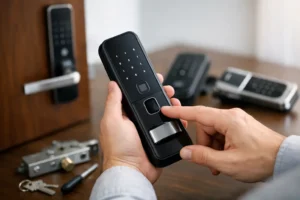
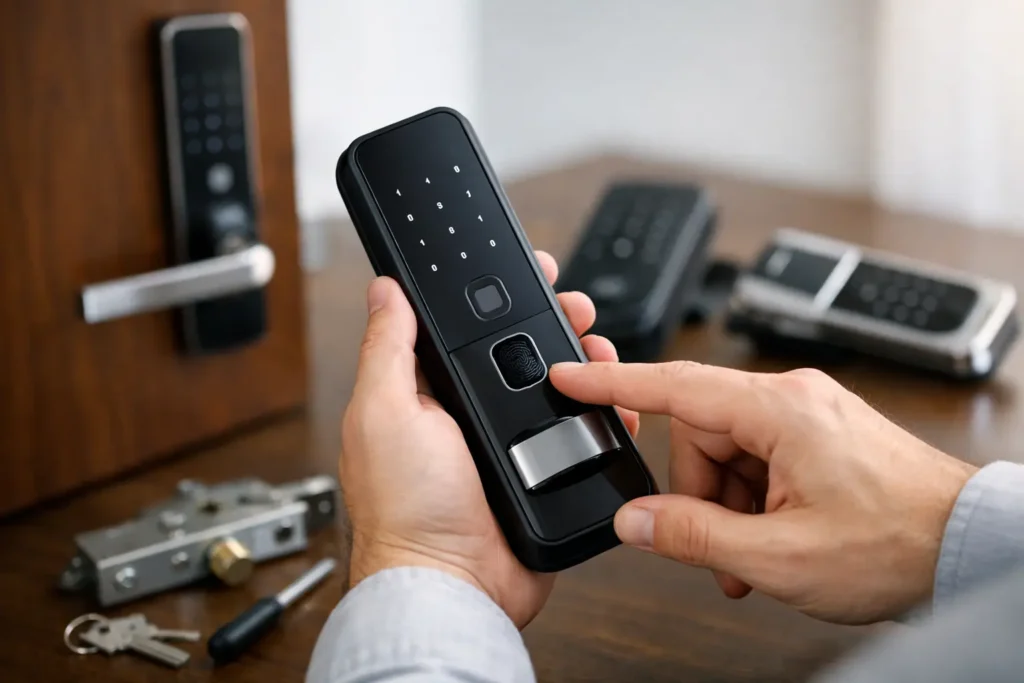
A digital lock can make arriving home with shopping bags, managing a rental, or securing an office far easier. But a lock that looks good online may not suit your door, daily routine, or security needs. Knowing how to choose a digital lock starts with the door itself, not the display screen or the number of features.
A practical choice should fit properly, give authorized people convenient access, and still provide a dependable way in when batteries run low or electronics fail. For most homeowners and office managers, the best digital lock is the one that works consistently without creating a new problem later.
How to choose a digital lock based on your door
Before comparing PIN codes, fingerprints, or mobile apps, check what you are fitting the lock onto. Door material, thickness, swing direction, existing lock type, and frame condition all affect which models are suitable.
A solid wood or metal main door can often support several lock types, including digital deadbolts, mortise locks, and handle sets. A narrow aluminum frame or glass office door needs a lock designed specifically for that material. Trying to adapt the wrong model can leave visible holes, poor alignment, or a latch that does not close smoothly.
Measure the door thickness and the distance from the edge of the door to the center of the existing lock opening. If you are replacing a mortise lock, the internal lock case and handle spacing matter as much as the outside panel. For a main door with a gate, consider whether the digital lock will be exposed to rain, direct sun, or frequent dust. Not every unit is built for outdoor-facing conditions.
A locksmith can inspect the door and recommend options that fit without unnecessary drilling or major alterations. This is especially useful for older doors, fire-rated doors, glass office doors, and rental properties where preserving the door matters.
Choose access methods that match real life
Digital locks are available with PIN codes, fingerprints, key cards, mobile app access, mechanical keys, or a combination of these methods. More access methods do not automatically mean a better choice. Think about who uses the door and what happens on a busy or stressful day.
For a family home, a PIN code and fingerprint access may be convenient for adults who regularly enter at different times. A physical backup key or emergency power option is still sensible. Children, older family members, and domestic helpers may find a simple code easier than a fingerprint reader that requires careful finger placement.
For a rental unit, temporary PIN codes can be useful when access needs to change between tenants, cleaners, or maintenance visits. For an office, key cards or individual codes can make it easier to remove access when a staff member leaves. Some models also keep entry records, but this feature is most useful when someone will actually review and manage it.
App-controlled locks can be convenient, particularly if you need to grant access while away. They also depend on phone batteries, app support, and sometimes an internet connection. If you prefer a straightforward lock, a reliable keypad model with a clear backup method may be the better fit.
Decide what level of security you need
A digital lock improves convenience, but it should also support the overall security of the door. Consider the location before deciding on the lock type.
For a main entrance, choose a lock with a strong deadbolt or mortise mechanism rather than relying only on a handle latch. The door frame, strike plate, hinges, and gate should also be in good condition. A high-tech front panel cannot compensate for a weak frame or a loose door.
Bedrooms and internal rooms usually need a simpler privacy solution. A compact digital lock may be suitable if you want controlled access for a study, storage room, or private bedroom. For mailboxes, cabinets, and lockers, select a lock made for the smaller opening and lower-duty use instead of installing a door lock that does not fit correctly.
Commercial premises have different considerations. An office may need access control for staff, restricted rooms, or glass entry doors. A business also needs a plan for staff turnover, emergency access, and power failures. If the door is a fire-rated door, do not alter it casually. The wrong installation can affect door function and compliance requirements.
Look for practical protection features
Features worth considering include auto-locking, a tamper alarm, incorrect-code lockout, a privacy mode, and a low-battery warning. These features can help, but they should be easy to understand and operate. A complicated lock that users bypass by leaving the door unsecured defeats the purpose.
Auto-locking is helpful for people who often rush out, but it needs to match the way the door is used. In a busy office or home with frequent trips outside, a short auto-lock timer can become frustrating. Some users prefer manual locking during the day and automatic locking at night.
Do not overlook batteries and backup entry
Every battery-operated digital lock will eventually need new batteries. Check how the lock warns you about low power, what battery type it uses, and whether the batteries can be changed from inside the property. Use quality batteries and replace them when the warning appears, not after the lock stops responding.
A good digital lock should also have a backup entry method. Depending on the model, this may be a concealed mechanical key, an emergency external power contact, or both. Ask where the emergency contact is located and how it works before installation. Store any backup key securely, not in an obvious place near the door.
This matters because lock problems rarely happen at a convenient time. A forgotten code, damaged keypad, flat battery, or lost key can leave you standing outside your home or office. Professional lock opening is sometimes necessary, but choosing a model with a clear backup plan reduces the chance of an urgent callout.
Compare installation needs, not just lock prices
The lowest-priced digital lock may cost more if it requires extensive door modifications, replacement parts, or repeated repairs. When comparing quotes, ask whether the price includes installation, removal of the old lock, door alignment, testing, and a demonstration of the new lock’s functions.
It is also worth asking whether your existing handle, deadbolt, or gate arrangement can remain in place. Some doors benefit from a digital lock paired with a separate mechanical deadbolt or gate lock. Others are better served by replacing the whole lockset for cleaner operation and stronger security.
Professional installation matters because alignment is critical. If the latch or bolt does not enter the strike plate cleanly, the motor has to work harder each time the door closes. That can cause early battery drain, error messages, and premature wear. A properly fitted lock should close smoothly without forcing the door, lifting the handle, or pushing hard against the frame.
Think ahead about people, codes, and maintenance
A digital lock is not a fit-and-forget item. Set up access carefully from the start. Avoid obvious codes such as birthdays, unit numbers, or repeating digits. Give each regular user their own code where the lock allows it, and remove old codes promptly after a tenant, employee, or contractor no longer needs entry.
Keep the keypad and fingerprint reader clean with a soft, dry cloth. Avoid spraying cleaning chemicals directly onto the lock. If the door starts sticking, address the alignment issue early rather than repeatedly forcing the lock to operate.
For households, decide who knows the backup process and where emergency details are kept. For businesses, assign one responsible person to manage access records, backup keys, and battery replacement. These simple habits make the lock more useful and reduce avoidable access problems.
When a locksmith’s advice saves time
If you are replacing an old main door lock, dealing with a damaged door, or choosing access for several users, an on-site assessment can prevent an expensive mismatch. An experienced locksmith can check the door construction, recommend a suitable lock type, and install it so it operates correctly from day one.
Pro-Smith and Lock helps homeowners and businesses assess practical lock upgrades, from main doors and bedrooms to office glass doors and access systems. The right recommendation should be based on your door and how you use it, not a one-size-fits-all sales pitch.
Choose a digital lock that your household or team can use confidently every day. A secure door is most effective when the people who rely on it understand it, maintain it, and have a dependable plan when something goes wrong.